🎯 3. Anchor Elements
🎯 3. Anchor Elements
> “Mix around the hero.”
- Every mix has a few elements that define the vibe—vocals, kick, bass, etc.
- Start by sculpting those, then fit everything else around them.
- Keeps your workflow focused and avoids decision fatigue.
🌀 4. Mix in Motion
> “It’s not how it sounds—it’s how it flows.”
- Mix with automation from the start: volume rides, filter sweeps, FX sends.
- A dynamic mix feels alive, even if the static version sounds flat.
- Think transitions, builds, moments—like scoring a scene.
🎨 5. Contrast is King
> “Emotion lives in differences.”
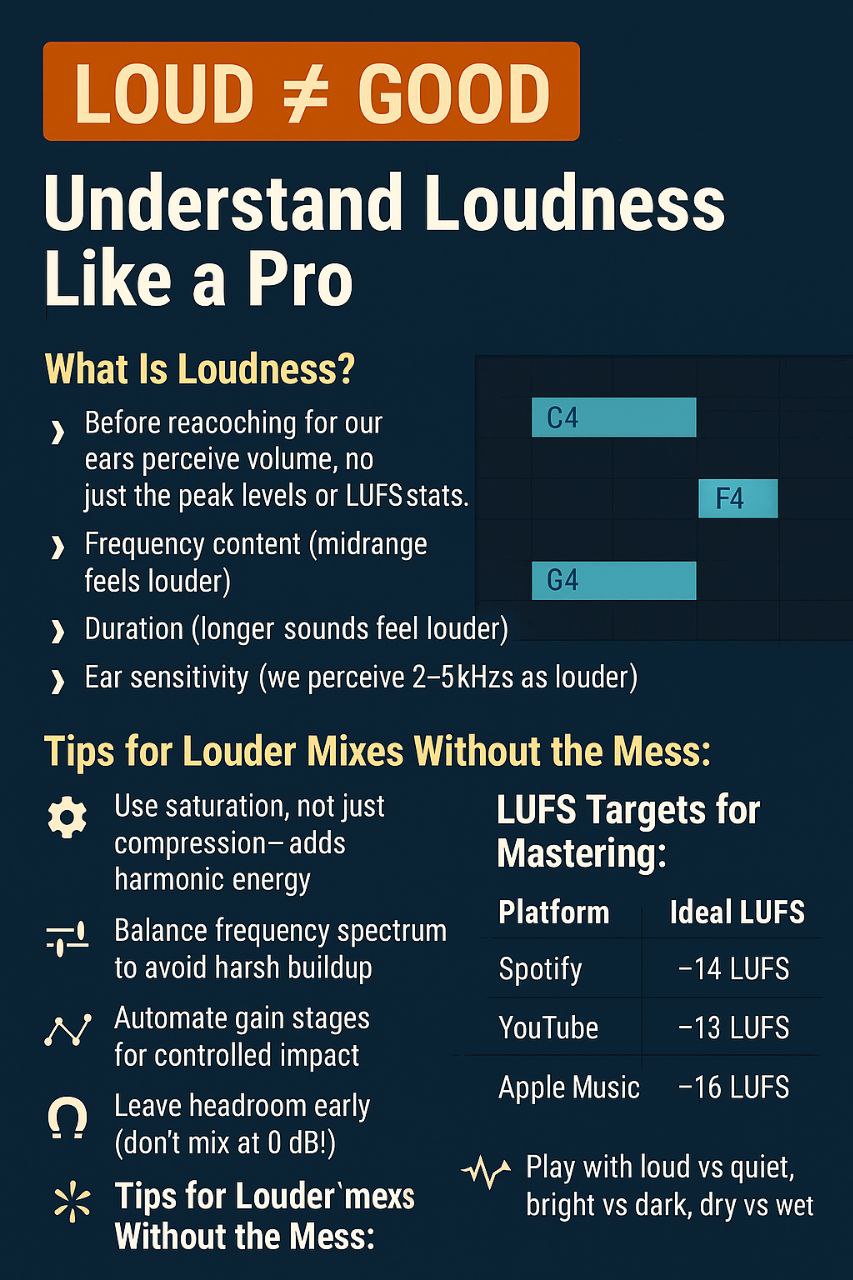
- Play with loud vs quiet, bright vs dark, dry vs wet.
- Creates tension, drama, release.
- Imagine telling a story—not everything should be ‘big’ all the time.
@Free_VST_Plugins_1
About our Archive
This plugin is part of our extensive collection of free VST plugins. We curate high-quality audio tools for everyone, from hobbyists to professionals. Join thousands of other producers who are building their sound libraries without spending a fortune.
Quick Install Guide
Most VSTs should be moved to your DAW's plugin folder (e.g., Common Files/VST3 on Windows). Once moved, rescan your plugins within your DAW. For more details, check our Telegram channel.
Ready to download?
Join our Telegram channel to get the file and more updates.