🎹 Piano Roll Power: How to Build Chords Digitally 🔊✨
🎹 Piano Roll Power: How to Build Chords Digitally 🔊✨
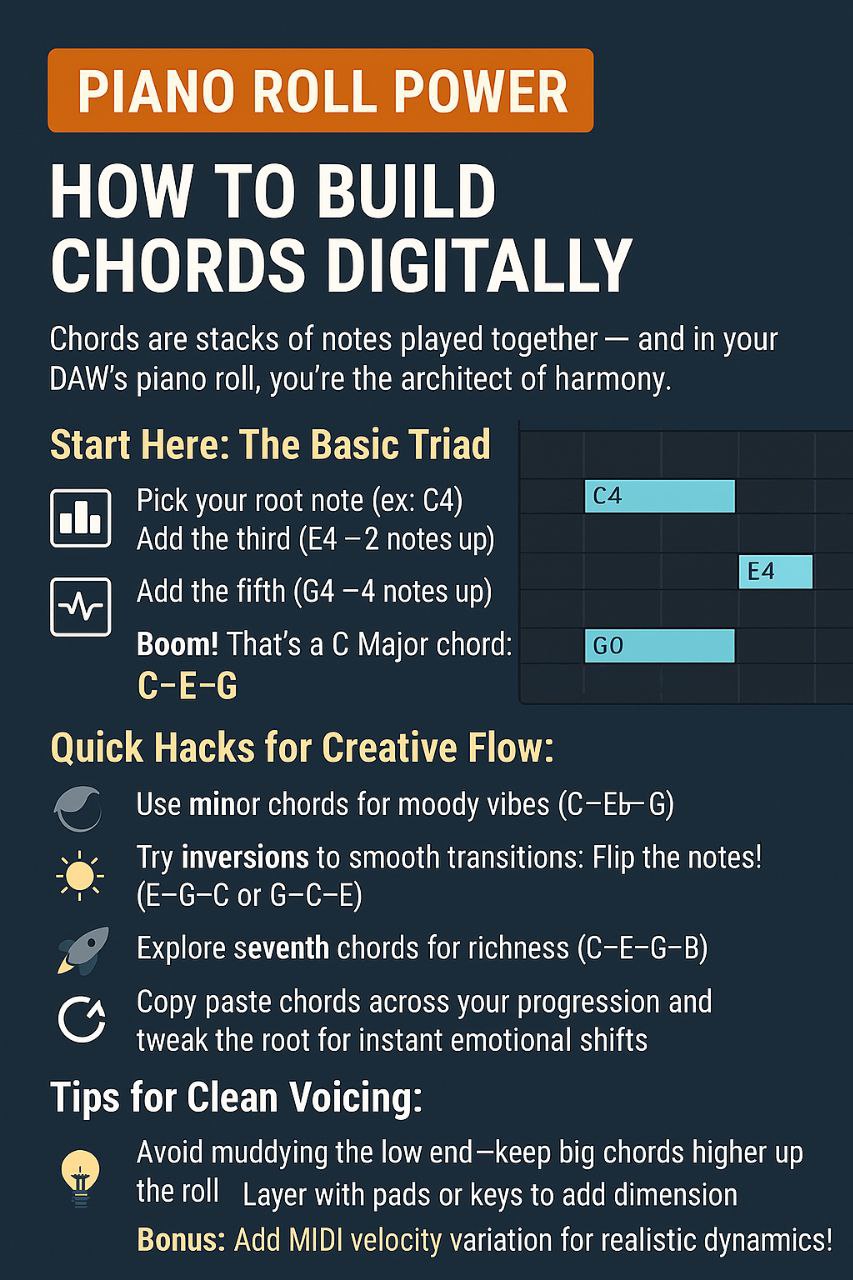
🧠 Chords are stacks of notes played together — and in your DAW’s piano roll, you're the architect of harmony.
🔑 Start Here: The Basic Triad
- Pick your root note (ex: C4)
- Add the third (E4 – 2 notes up)
- Add the fifth (G4 – 4 notes up)
💡 Boom! That’s a C Major chord: C–E–G
🎨 Quick Hacks for Creative Flow:
- 🧊 Use minor chords for moody vibes (C–Eb–G)
- 🌤️ Try inversions to smooth transitions: Flip the notes! (E–G–C or G–C–E)
- 🚀 Explore seventh chords for richness (C–E–G–B)
- 🔁 Copy-paste chords across your progression and tweak the root for instant emotional shifts
📐 Tips for Clean Voicing:
- Avoid muddying the low end — keep big chords higher up the roll
- Layer with pads or keys to add dimension
- Quantize for tight timing, but leave room for human feel if needed
🎯 Bonus: Add MIDI velocity variation for realistic dynamic.
@Free_VST_Plugins_1
About our Archive
This plugin is part of our extensive collection of free VST plugins. We curate high-quality audio tools for everyone, from hobbyists to professionals. Join thousands of other producers who are building their sound libraries without spending a fortune.
Quick Install Guide
Most VSTs should be moved to your DAW's plugin folder (e.g., Common Files/VST3 on Windows). Once moved, rescan your plugins within your DAW. For more details, check our Telegram channel.
Ready to download?
Join our Telegram channel to get the file and more updates.